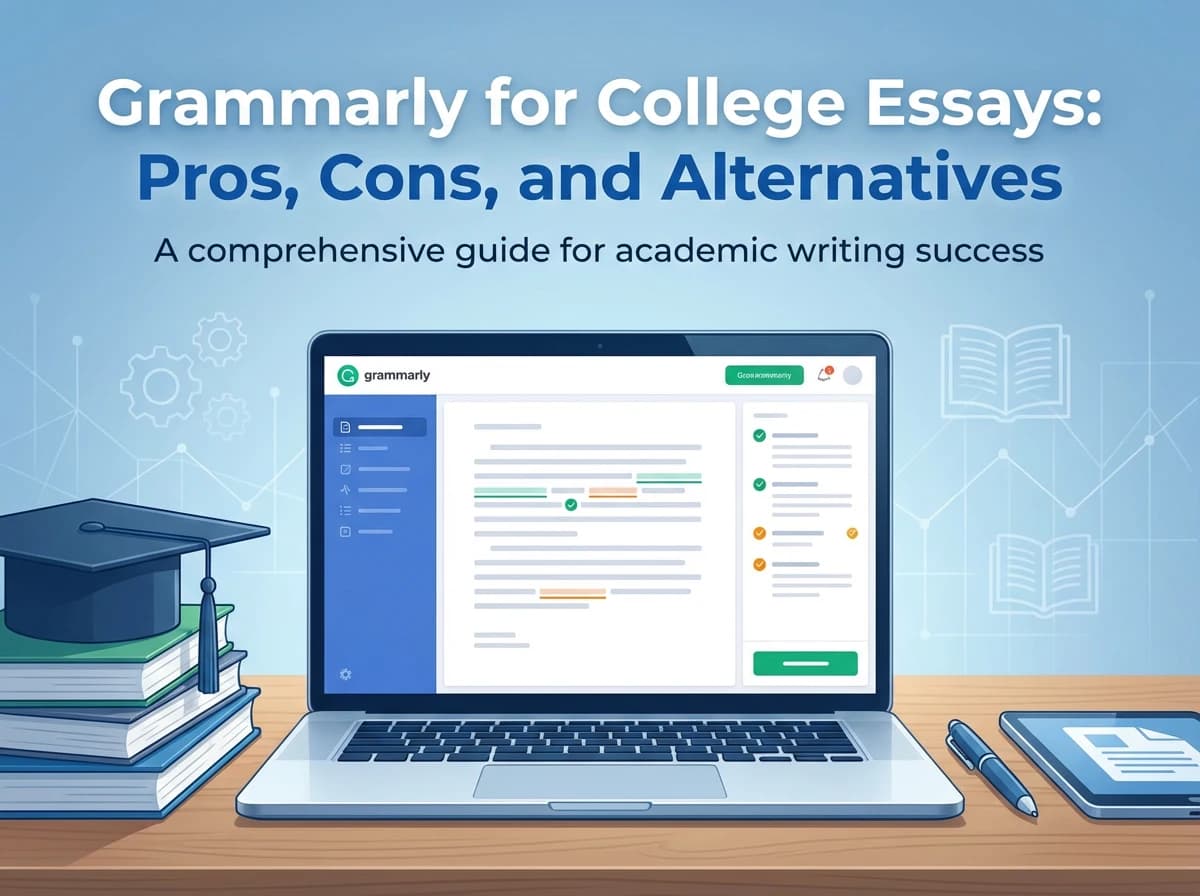

Grammarly is one of the most popular AI writing tools today, especially for students working on college essays and academic papers. It can quickly fix grammar issues, improve clarity, and make sentences sound more natural—but it also raises a key concern: will it sharpen your writing without changing your meaning or weakening your personal voice?
In this guide, we’ll break down Grammarly’s main strengths and limitations, the situations where it helps most, and the common mistakes to avoid. We’ll also share practical tips and alternatives so you can use it effectively while still sounding like you.
Is Grammarly Good for College Essays?
Yes—for language-level improvements.
Grammarly is strongest when your content is mostly done and you want to:
– Fix grammar, spelling, and punctuation fast
– Improve clarity and concision
– Reduce awkward phrasing (especially for ESL writers)
– Catch small mistakes before submission
But Grammarly is not designed to do the hardest part of college essays: building a defensible thesis, organizing paragraphs into a logical argument, and supporting claims with credible references.
If you are just starting out and need a more comprehensive strategy, you might want to look into how a specialized AI essay writer can help bridge the gap between a blank page and a structured draft.
What College Professors Actually Grade
Most North American college rubrics prioritize higher-order writing skills:
– Thesis quality (clear, specific, arguable, answers the prompt)
– Organization (each paragraph has a job; ideas flow logically)
– Evidence and reasoning (claims are supported; analysis is original)
– Use of sources (credible references, integrated correctly)
– Citation accuracy (APA/MLA/Chicago formatting and consistency)
– Clarity and style (where Grammarly helps most)
If your essay is clean but shallow, off-topic, or under-supported, grammar tools can’t rescue the grade.
Grammarly Features That Matter for Students
Students don’t need every feature—focus on what improves submissions quickly:
What’s genuinely useful:
– Grammar + spelling + punctuation (fast error cleanup)
– Clarity suggestions (less wordiness, fewer confusing sentences)
– Tone adjustments (helpful for overly casual phrasing)
What’s often overrated for academic essays:
– Synonym swaps and “stronger wording” suggestions (can distort meaning)
– Heavy rewrites that reduce nuance or make your voice sound generic
Best practice: treat Grammarly as a final-pass editor, not a co-author.
What Grammarly Fixes vs What It Can’t
Let’s use a typical college-essay problem.
Student draft (common issue):
“Social media is bad for mental health because it affects people in many ways. This essay will talk about how it causes anxiety and depression.”
What Grammarly can do well:
– Clean grammar, punctuation, and awkward phrasing
– Suggest clearer wording
What Grammarly usually won’t do:
– Turn that into a specific, arguable thesis
– Provide a logical structure (claim → evidence → analysis)
– Add credible research support
A stronger thesis requires a deeper understanding of the pros and cons of using AI for essays and how to maintain academic integrity while leveraging these tools for structural support.
A stronger thesis (what you should aim for):
“While social media can strengthen peer support, its design features (algorithmic comparison loops and constant social evaluation) are associated with higher anxiety symptoms among college students; universities should address this through digital literacy interventions rather than blanket bans.”
How students solve this faster in practice:
– Use a structure-first draft tool (e.g., Essaypass one-click full essay generation) to get a complete outline + argument flow, then refine
– Use Grammarly at the end to polish wording and catch errors
The Biggest Grammarly Limitations for Academic Writing
Here’s where Grammarly frequently falls short for college-level essays and research papers.
1) It won’t build your thesis or argument strategy
If your thesis is vague (“This essay will discuss…”) or your position is unclear, Grammarly won’t reliably turn it into a strong, arguable claim.
What helps more is a thesis-first workflow—outlining the claim and evidence plan before polishing sentences.
For those struggling with specific formats, learning the nuances of how to write a research paper can provide the structural foundation that a grammar checker simply can’t offer.
2) It doesn’t fix structure across the whole essay
Many students don’t struggle with individual sentences—they struggle with:
– Paragraphs that don’t connect
– Repetition instead of progression
– A body that doesn’t prove the thesis
– A conclusion that adds nothing new
Grammarly edits locally. It doesn’t reliably design a coherent outline or ensure every paragraph supports the argument.
3) It doesn’t give you credible, verifiable sources
A common student problem: “I need evidence, but I don’t know what sources to use.”
Grammarly won’t:
– Provide research references you can verify
– Help you select sources that match your claims
– Build citation-ready support for each paragraph
Some academic-first tools emphasize real references you can directly download (Essaypass includes downloadable references), which makes it easier to verify citations and avoid unsupported claims.
4) Plagiarism/AI checks: useful signals, not guarantees
Students care about similarity reports and AI detection, but no tool can “guarantee” you’ll pass every university’s policy or settings.
If you want an additional safety step, Essaypass offers optional Turnitin-based plagiarism and AI detection. Still, the safest approach is:
– Use verifiable sources
– Cite correctly
– Rewrite analysis in your own voice
– Follow your professor’s AI policy
When You Need Structure, Sources, and a Full Draft Fast
If your main problem is “I don’t have time to plan and draft from scratch,” an academic-first tool can help you get unstuck.
Essaypass is designed around common college assignments:
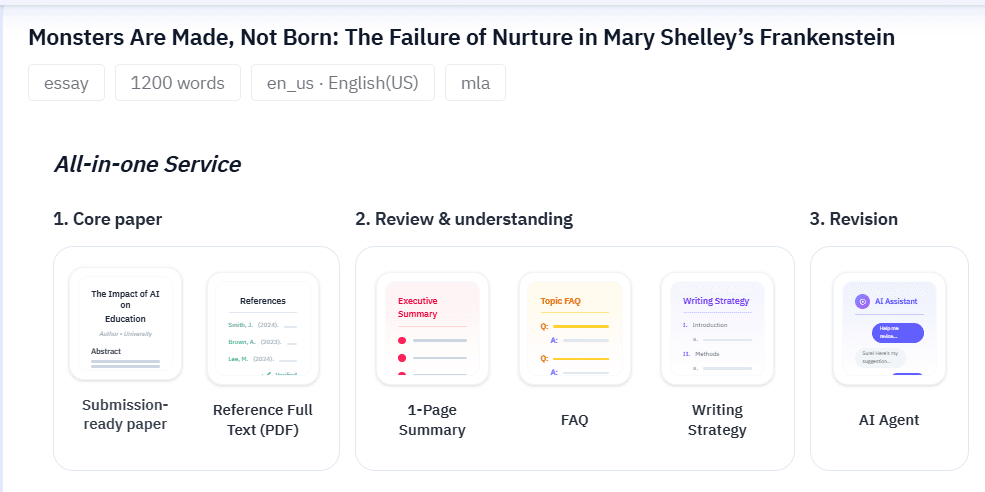
– One-click full essay generation (useful for fast first drafts)
– Works with AI-generated outlines or your own outline
– Supports multiple essay types (research papers, case studies, literature reviews, etc.)
– Optional Turnitin-based plagiarism + AI detection
– Uses real references you can download (to verify citations)
– Includes an AI Agent for follow-up edits (useful after professor feedback)
This isn’t a replacement for thinking—consider it a faster way to get a structured starting point you can verify, edit, and personalize.
The Best Workflow for College Students
If you want better grades with less stress, use a two-tool workflow:
1) Start with structure and content
– Extract the prompt requirements (type, topic, word count, citation style)
– Create an outline (or generate one) with clear claims per paragraph
– Draft with evidence planned for each claim
If you’re short on time, generating a full draft with Essaypass can give you a structured baseline.
2) Verify sources and citations
– Open each reference and confirm it supports the claim you’re making
– Fix any mismatched citations
– Make sure you’re not over-quoting or summarizing without analysis
3) Rewrite for your voice and stronger analysis
– Add your “so what?” (interpretation and implications)
– Make topic sentences directly support the thesis
4) Use Grammarly as the final pass
– Grammar + clarity + concision
– Catch last-minute mistakes before submitting
Grammarly vs Essaypass: Which One Should You Use?
Use Grammarly if:
– You already wrote a draft and want it cleaner
– Your professor comments mostly mention grammar/clarity
– You’re confident in your structure and sources
Consider Essaypass if:
– You’re stuck at the blank page
– Your essays lose points for structure, weak thesis, or thin support
– You need a draft that matches a specific essay type and citation format
– You want optional Turnitin-based checks and verifiable references
– You want an AI Agent to revise after feedback
 Many students get the best outcome by combining them: Essaypass for a structured academic draft and citations you can verify, Grammarly for final proofreading.
Pricing Reality Check (Subscription vs Pay-Per-Essay)
One reason students search for Grammarly alternatives is pricing structure.
Grammarly is typically a subscription. That’s great if you write constantly across classes and internships.
If you mainly need help on specific assignments, a pay-per-essay model (like Essaypass) can be easier to justify—especially during heavy midterm/finals weeks.
Final Verdict: Grammarly Is a Polisher, Not an Essay Strategy
Grammarly is excellent for correctness and clarity. But college grades are usually won or lost on thesis strength, structure, evidence, and citations.
If your biggest frustration is spending hours figuring out what to say and how to support it, you’ll get more value from a structure-first academic workflow—optionally starting with a tool like Essaypass—then using Grammarly to polish the final draft.
Want the fastest improvement? Stop trying to “edit your way” into a good essay. Build the argument first, then make it sound great.