
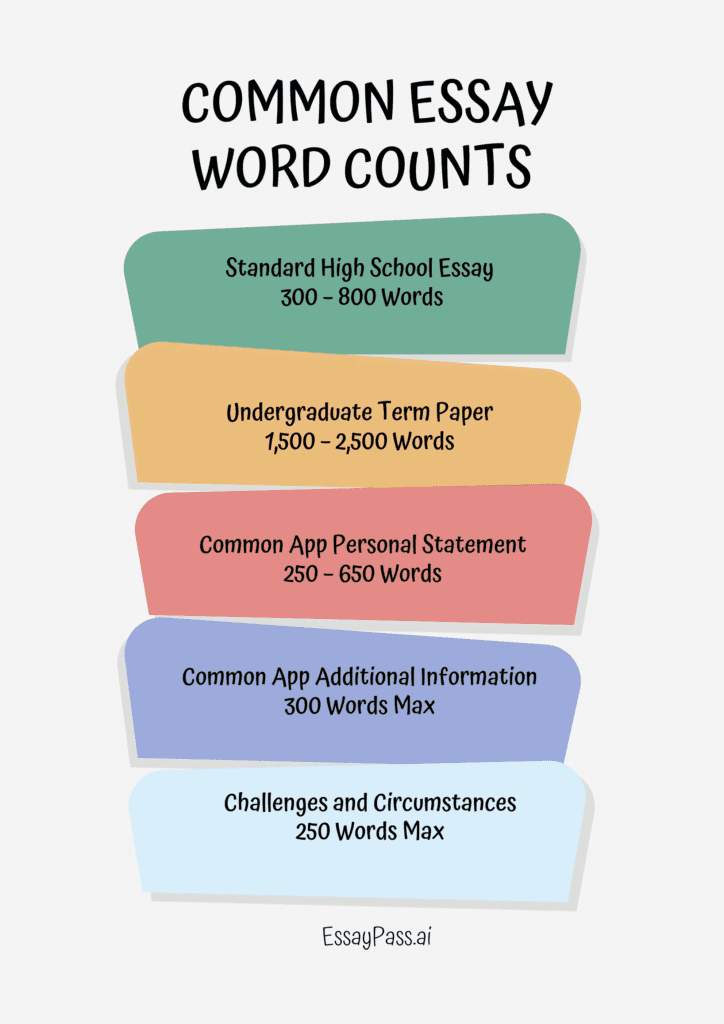
The official Common App essay word count for the 2025–2026 cycle is a strictly enforced 250 to 650 words.
- Additional Information section has been slashed from 650 to 300 words.
- Challenges and Circumstances prompt offers an optional 250-word space
Strategic Word Counts for the 2025–2026 Common App Cycle
According to the official Common App updates for the 2025–2026 season, while the Personal Statement prompts remain unchanged, several other sections have undergone significant structural modifications to prioritize narrative efficiency. Applicants must strictly adhere to the following system-enforced limits:
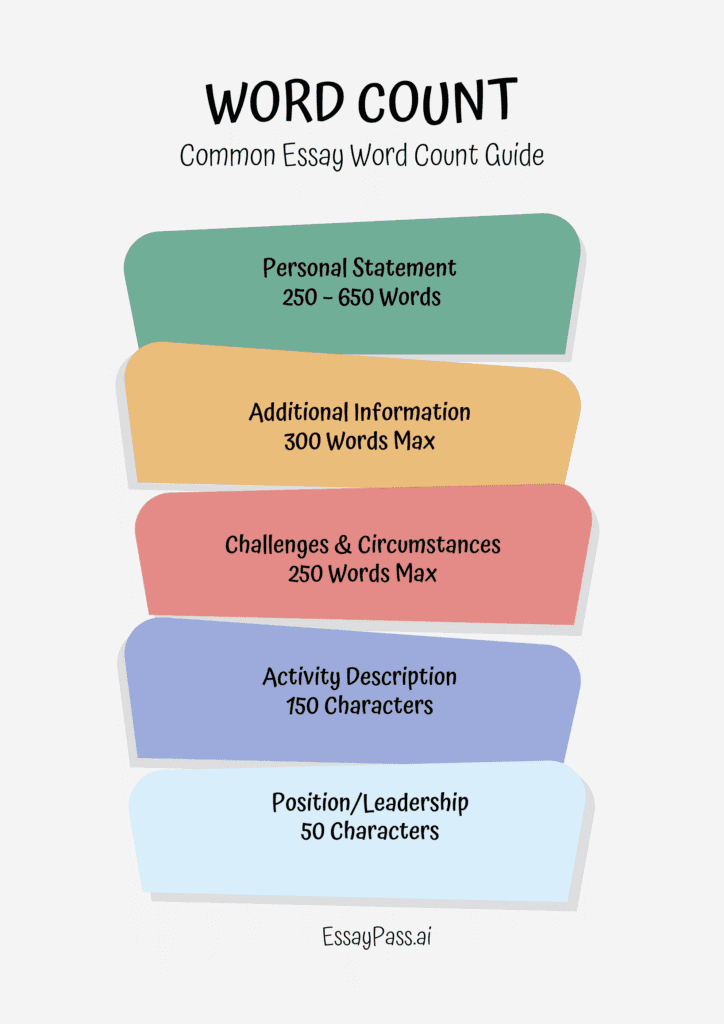
- Personal Statement: 250–650 Words. This limit is strictly enforced by the portal; submissions exceeding 650 words will not be accepted.
- Additional Information: 300 Words Max. This is a major policy shift for the 2025–2026 cycle, reducing the limit from the previous 650 words to encourage more concise, factual disclosures.
- Challenges and Circumstances: 250 Words Max. This expanded prompt replaces the former COVID-19 “Community Disruption” question to capture a broader range of personal or systemic hardships.
Why are these limits so strict?
The Common App utilizes a specific space-delimited counting function, which recognizes any string of characters surrounded by spaces as a standalone word. If your essay exceeds the limit by even a single word, the system’s text editor will strictly truncate your text, often leading to abrupt endings or incomplete logical arguments.
In the 2025–2026 admissions landscape, characterized by the rise of AI-influenced writing, admissions officers increasingly value the density of insight over volume. Mastering these word counts is no longer just a technical requirement; it is a critical competitive advantage that demonstrates your ability to communicate complex personal reflections with precision and professional discipline.
Why Your Word Count is “Wrong”
The Common App uses a space-delimited counting function that identifies a “word” as any string of characters surrounded by spaces. This causes major discrepancies between the application portal and external editors like Google Docs or Microsoft Word. Consequently, an essay that appears to be exactly 650 words in your document might be flagged as 653 words upon submission.
The Principle of Space-Delimitation
Standard word processors use complex linguistic algorithms to identify words. They recognize “I’m” as a single word based on grammar. In contrast, the Common Application system is a “blind” counter that strictly looks for the space character. If you have a sequence of non-space characters, the system treats it as one unit.
Example: Numbers and Symbols.
- Text: “I made $1,000,000 dollars.”
- Common App Count: 4 words (“I”, “made”, “$1,000,000”, “dollars”).
- Variance: If you wrote “$1,000,000 dollars” in some academic software, the symbol might be ignored, but here, it counts.
Before you finalize your draft, thorough editing and proofreading is essential to ensure your technical formatting does not ruin your narrative flow.
The “Em-Dash Hack” and Punctuation Pitfalls
Handling punctuation like em dashes (—) and hyphens (-) represents the most significant source of word count variation. If you are nearing the 650-word limit, these small formatting choices determine whether your final sentence is cut off or preserved.
- The Three-Word Trap (Em Dash with spaces):
- Style:
thought — action - Common App Count: 3 words. The system sees “thought”, the isolated symbol “—”, and “action” as three distinct entities.
- Style:
- The One-Word “Combo” (Em Dash without spaces):
- Style:
thought—action - Common App Count: 1 word. The lack of surrounding spaces causes the system to read the entire string as a single “combo word”.
- Style:
By removing spaces around your dashes, you can effectively “save” two words for every em dash used. This strategy is a vital part of learning how to write a college essay that is both impactful and technically compliant.
Technical Comparison: Document vs. Application Portal
| Character or Style | Google Docs / Word Count | Common App Word Count | Why the difference? |
|---|---|---|---|
Ampersand with spaces (A & B) | 2 Words | 3 Words | The portal treats isolated symbols as words. |
Ampersand without spaces (A&B) | 2 Words | 1 Word | Recognized as a single character string. |
Hyphen with spaces (low - income) | 2 Words | 3 Words | The hyphen becomes a standalone word. |
Hyphen without spaces (low-income) | 2 Words | 1 Word | Standard behavior for compound adjectives. |
Isolated Em Dash (word — word) | 2 Words | 3 Words | The dash is recognized as a character string. |
No-Space Em Dash (word—word) | 2 Words | 1 Word | Treated as a single “combo word”. |
The Strategic Copy-Paste Protocol
Because the system’s text editor will strictly truncate text or prevent submission, you must follow a rigid protocol before the August 1 refresh. To achieve a master word count, you should never trust your external document’s tally as the final word.
- Remove all spaces surrounding em-dashes and hyphens. This consolidates your count and allows for more descriptive adjectives elsewhere.
- Standardize your ampersands. Replace “A & B” with “A and B” (both are 3 words, but “and” is more professional) or “A&B” if you are desperate to save 2 words.
- Check your numbers. “1,000,000” is one word, but “1 million” is two.
- Preview the PDF. Use the portal’s “Preview” feature to ensure the system’s counting has not cut off your conclusion.
Admissions officers value clarity of thought over the sheer volume of your writing. Mastering these technical nuances ensures that your authentic voice remains the focus of the evaluation.
From “Drafted” to “Polished”
Reaching the 650-word limit is only the first step; the real challenge lies in “narrative efficiency”—ensuring every word works toward your admission. To succeed in the 2025–2026 cycle, you must move beyond simple deletion and embrace clinical editing that prioritizes your authentic voice.
Establish a Structural Word Budget
A common failure in college essays is spending too much space on external events and too little on internal growth. To avoid a rushed conclusion that fails to answer the “so what?” question, follow this recommended 2025–2026 “word budget”:
- The Hook (100–150 words): Start with a specific, vivid anecdote. Focus on a “slice of life” that reveals your character immediately rather than using broad generalizations.
- The Pivot/Realization (150–200 words): This is the most critical section. You must dedicate significant space to how your thinking changed—this is where the “growth” actually occurs.
By sticking to these parameters, you ensure your master word count remains balanced, preventing a “bottom-heavy” essay where the reflection is squeezed into a single, weak sentence.
Manual “Slimming” Techniques for Maximum Impact
To refine your prose, you must act as your own editing and proofreading mentor. Implement these two high-impact changes:
1. The “Active Voice” Mandate Passive voice creates distance and unnecessary word volume. At least 85% of your sentences should be in the active voice to sound direct and authoritative.
- Passive (Avoid): “The goal was achieved by me after months of practice.” (10 words)
- Active (Use): “I achieved the goal after months of practice.” (8 words) By placing yourself at the center of the action, you save space and increase the “density of insight.”
2. Eliminate “Structural Road Markers” Admissions officers read thousands of essays; they do not need a map of what you are about to say. Delete phrases that announce your intentions, such as “In this essay, I will discuss…” or “The next important part of my story is…” Jump directly into the action. For example, replace “I found myself actually thinking” with a simple, punchy “I thought.”
Leveraging EssayPass for the Final Revision
While general AI tools often produce generic, “robotic” text, specialized AI tools for editing essays are designed for the nuance of the application essay.
EssayPass intervenes during the critical editing stage to provide:
- Intelligent Compression: Unlike ChatGPT, which may fabricate experiences, EssayPass identifies sections of unnecessary repetition and compresses explanations while preserving your original voice.
- Style and Audit Alignment: It helps your essay pass “style audits” by ensuring your narrative contains enough burstiness—a human-like mix of short and long sentences—to feel authentic to a reader.
- AI Compliance: By refining paragraph flow rather than writing for you, it acts as an expert mentor to help you navigate the 2025–2026 admissions landscape, where colleges prioritize original thinking and self-awareness.